Calls and texts
Every call and text goes out from your Relay number, so your own cell stays private.
In short: Text and call leads from your Relay number, take incoming calls, set up missed call text-back and Do Not Disturb, text a group with Blast, and what happens when a customer replies STOP.
Who this is for: Relay Solo customers calling and texting leads on iPhone, Android, or a computer.
Find your Relay number
- Tap the yellow + button at the bottom. Your Relay number is at the top. Tap Copy to share it.
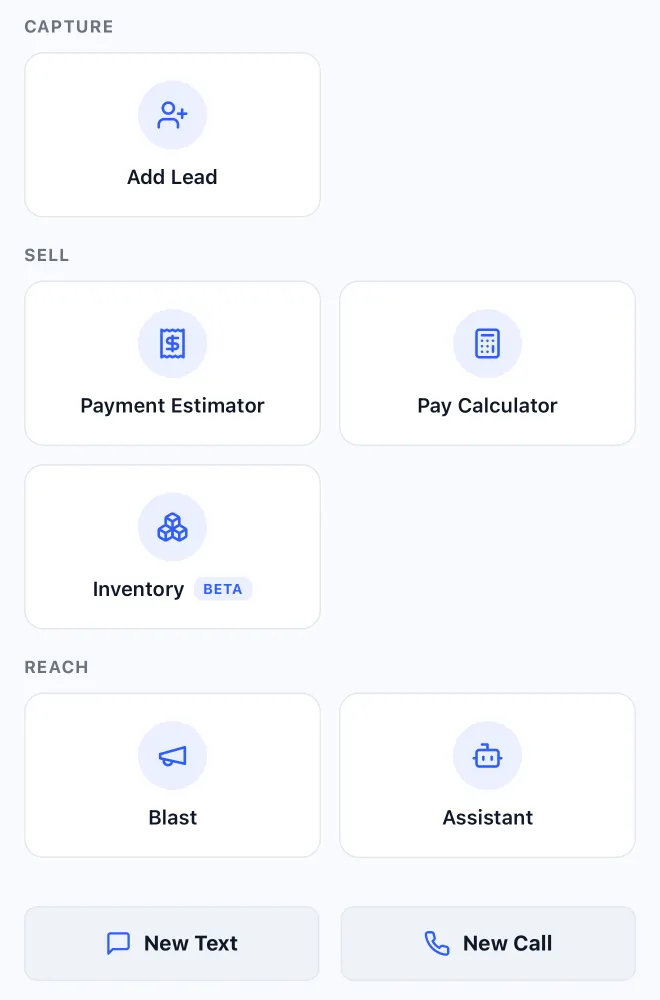
The plus menu. Your Relay number with a Copy button sits at the top (cropped here).
Text a lead
- Tap Messages and open the conversation.
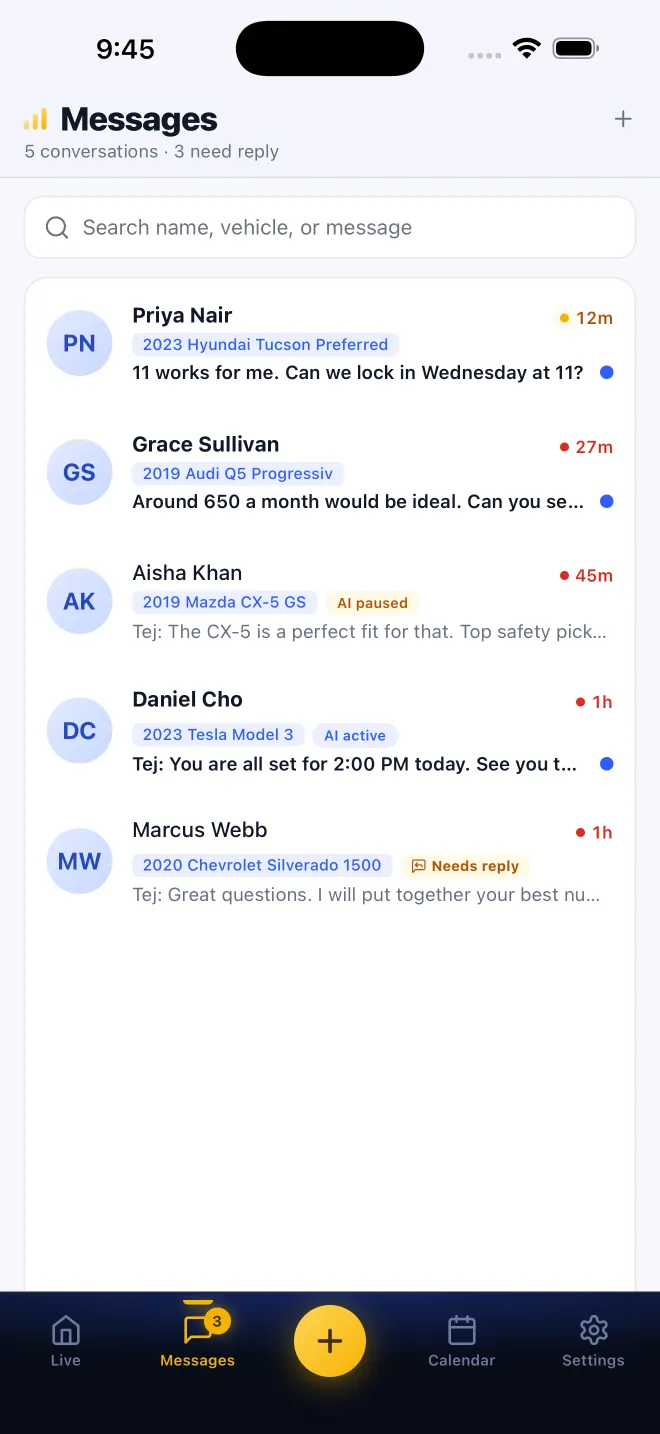
Messages: one row per lead. Tags show the vehicle and whether the AI is active or paused. - Type in the Text message box and tap send.
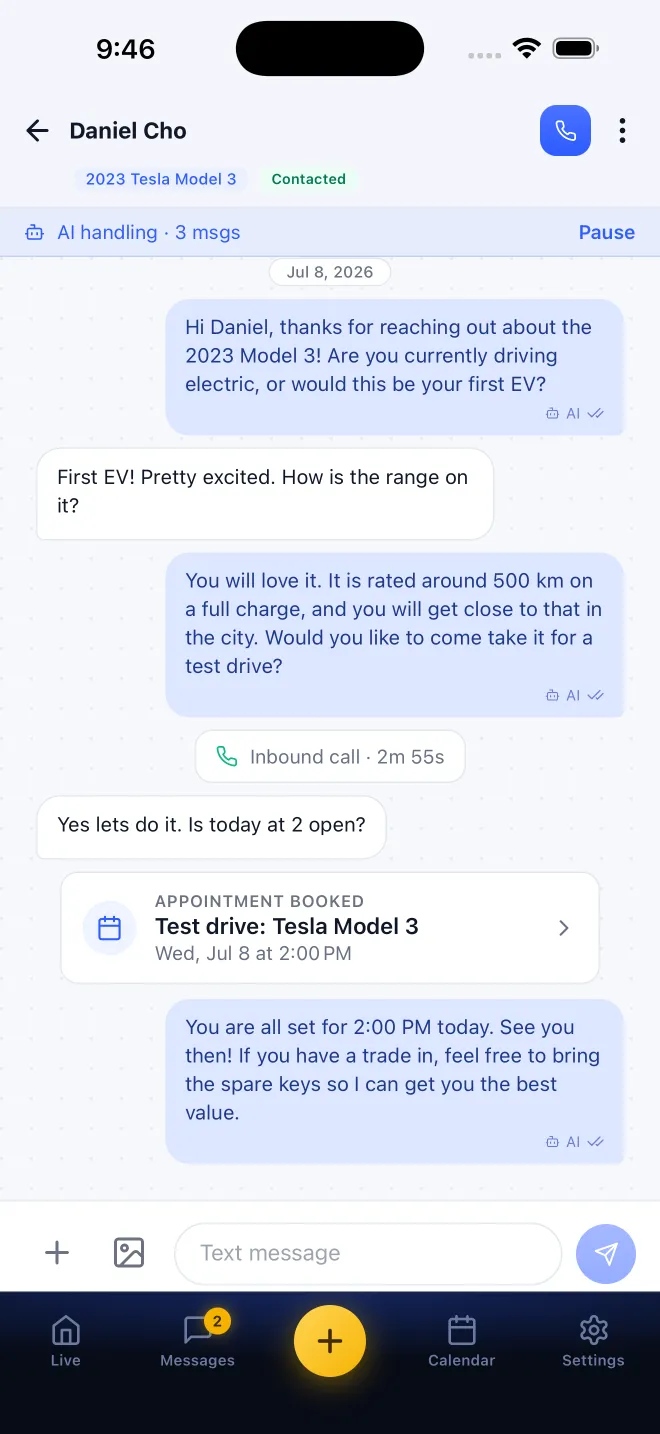
A conversation. AI replies are labelled, and Pause at the top stops the AI for this lead.
Text someone new: tap +, then New Text.
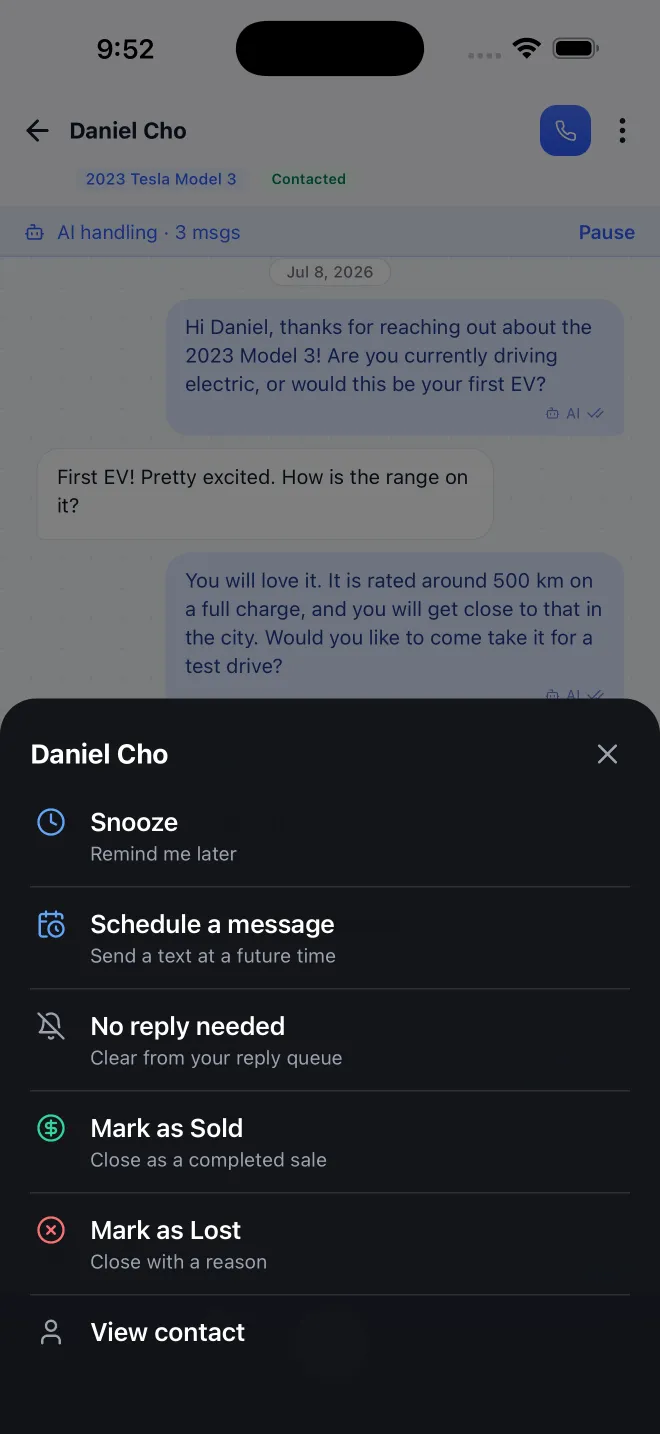
More options: tap the three dots at the top of a conversation to snooze, schedule a text, or mark the lead sold or lost.
On a computer: click Messages at app.userelay.ca. See Get the app and log in.
Call a lead
- Open the conversation.
- Tap the blue phone button at the top right.
- The first time, tap Allow so Relay can use the microphone.
Call any number: tap +, then New Call. Canada and US numbers only.
On a computer: click Call in a conversation and allow the microphone. A headset helps.
Incoming calls and voicemail
- Calls to your Relay number ring in the app for about 30 seconds, even when your phone is locked.
- If you miss it, the caller can leave a voicemail. Play it in their conversation.
- Calls do not forward to another phone. Keep the app installed and signed in.
Missed call text-back
When you miss a call, Relay texts the caller: "Sorry I missed your call! Text me here and I'll get right back to you." It is on when you sign up.
- In the app, open Settings and find Missed call text-back.
- Change the Message, or turn off Text back missed calls.
Turn on notifications
Notifications are how you hear about new leads. Without them you will miss leads.
- When the app asks, tap Allow.
- See a red You will not receive leads banner in Settings? Open your phone's Settings, tap Notifications, tap Relay, and turn on Allow Notifications.
Do Not Disturb
- In the app, open Settings and find Do Not Disturb.
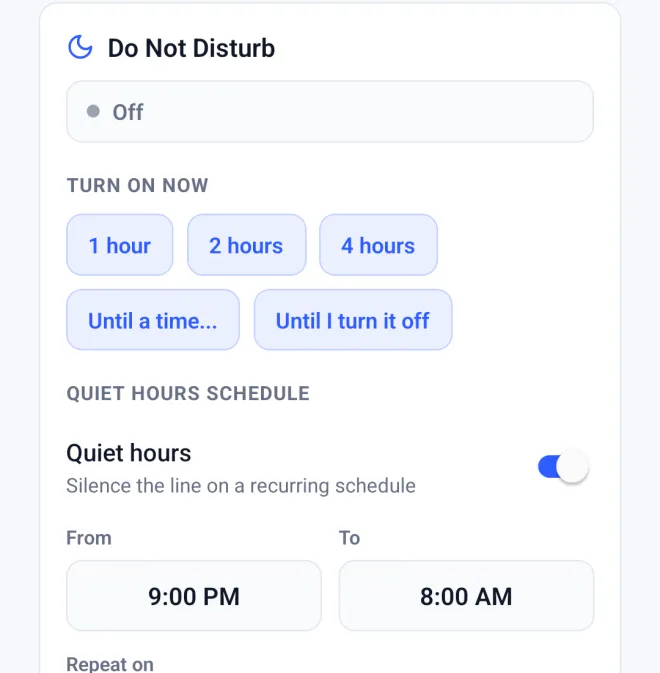
Do Not Disturb in Settings. - Tap 1 hour, 2 hours, 4 hours, or Until I turn it off.
Every night: turn on Quiet hours and set the times.
While it is on, calls go to voicemail and texts come in without a sound. Each person who texts gets one short auto-reply so they know you will get back to them.
On a computer: Settings, then Notifications.
Text a group (Blast, Pro)
- In the app, tap +, then Blast. On a computer, click Blast.
- Write your message and follow the steps on screen.
Blast goes to customers who bought in the last 24 months and have not opted out. It sends slowly over a few minutes.
Locked?Blast unlocks after you verify your dealership email. In the app, tap Settings, then Verify email. It starts at 25 texts a day and grows to 250. Texting one customer at a time is never limited.
When a customer replies STOP
If a customer texts STOP, Relay stops texting them right away. They show as Opted out. You can still call. If they text START, you can text them again.
What calls and texts cost
Calls and texts use the credit included with your plan. See Billing and your plan.
Common questions
What number do customers see when I call or text from Relay?
Your Relay number. Your own cell number is never shown.
Do calls ring when my iPhone is locked?
Yes. Calls to your Relay number ring like a normal call, even when the phone is locked or the app is closed. Keep the app installed and signed in.
What happens when I miss a call?
The caller can leave a voicemail, and Relay texts them back for you. You can change or turn off that text in Settings.
Can I call and text from my computer?
Yes. At app.userelay.ca you can reply in Messages and call from a conversation. Incoming calls ring in the phone app.
What if a customer replies STOP?
Relay stops texting them right away. You can still call. If they text START, you can text them again.